MeduzaVPN
About the Project
Your own server. Your own connection. MeduzaVPN makes a personal VPN easy to set up and manage across your devices.
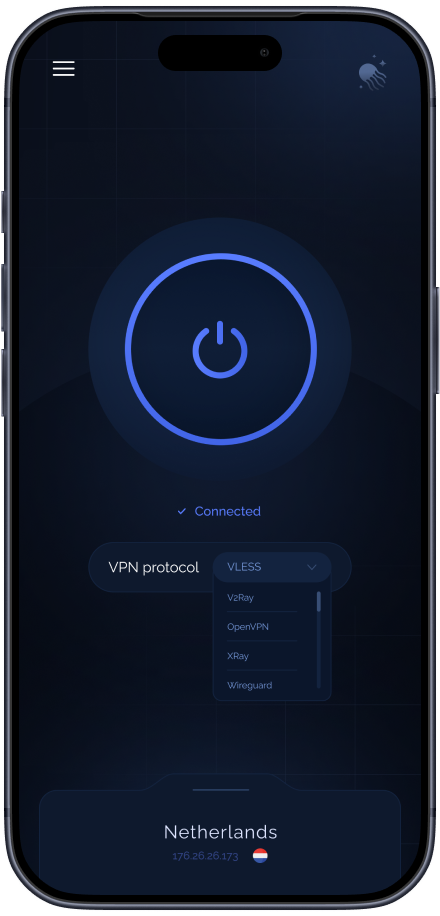
Service Features
- Your own VPN server on the PERSONAL plan, with control over its location and settings.
- 60+ locations and support for modern VPN protocols, including MeduzaVPN ULTRA, WireGuard and OpenVPN.
- Apps for Windows, macOS, Linux, iOS and Android, plus options for televisions and routers.
A connection that fits your life
-
More control over your connection
- Run a personal VPN on your own VPS instead of sharing a server IP with unrelated customers.
- Choose a location and manage your connection settings from your account.
-
Different devices, one account
- Connect on your phone, desktop, television or compatible router.
- Invite family or colleagues to share access through their own MeduzaVPN accounts.
-
Flexible routes for everyday tasks
- Use split tunneling to decide which traffic goes through the VPN and which connects directly.
- Choose a supported protocol to suit your device and network.
Popular Questions
A few things to know before setting up your personal VPN.
-
What makes MeduzaVPN a personal VPN?
On the PERSONAL plan, your VPN runs on your own VPS. You choose the location and control its settings, rather than using a server IP shared with unrelated customers.
-
Which devices can I connect?
MeduzaVPN provides apps for Windows, macOS, Linux, iOS and Android. The official website also lists television apps, router packages and setup instructions for compatible clients.
-
Can I share my VPN?
Yes. You can invite other people to use your VPN through their own MeduzaVPN accounts. Access is shared through an invitation rather than by handing over your account password.
-
Does every app have to use the VPN?
Split tunneling lets you route selected traffic through the VPN and leave other traffic on a direct connection. Available settings depend on your platform and connection mode.